

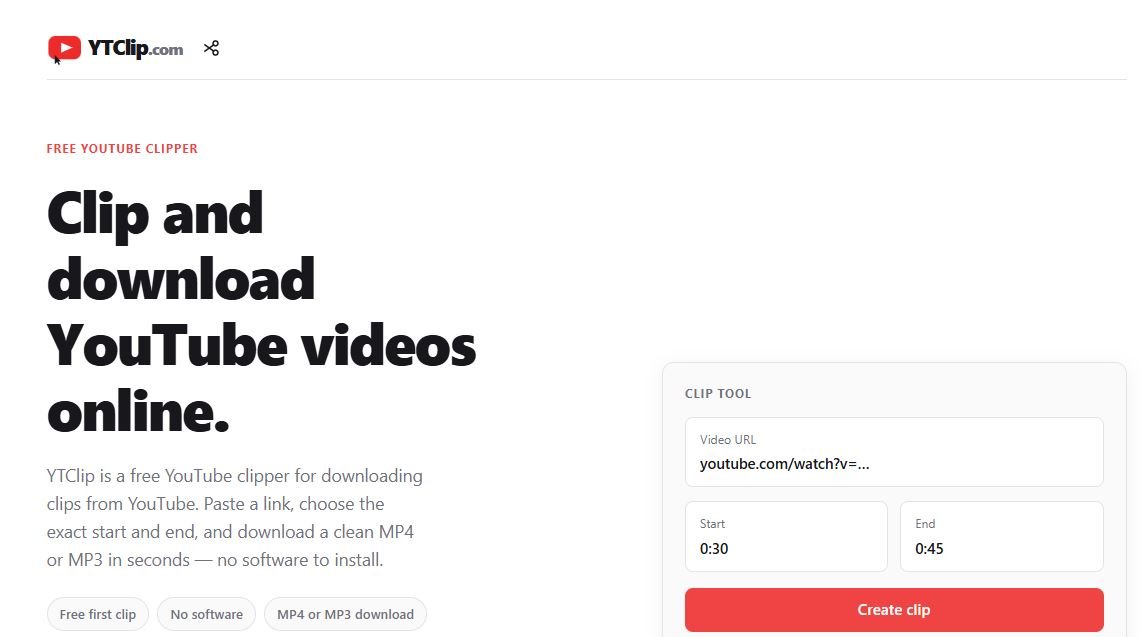
If you spend any amount of time on YouTube, you already know the feeling. You stumble across a video that’s just too good not to save, whether it’s a hilarious moment from your favorite creator, a killer tutorial, or a song you want to keep on repeat. That’s exactly the gap YouTube Clipper was built to fill.
YouTube Clipper is a simple, browser-based tool that lets anyone grab clips, full videos, or audio tracks from YouTube in seconds. No software to install, no complicated settings, no learning curve. You paste a link, pick what you want, and you’re done.
What Exactly Is YouTube Clipper?
At its core, YouTube Clipper is a web tool built for one purpose: making it fast and painless to pull content off YouTube for personal use. Instead of juggling multiple apps or messing around with screen recorders, you get a clean, straightforward interface that does the heavy lifting for you.
It’s designed with everyday users in mind, not just tech-savvy editors. Whether you’re a student saving a lecture clip, a content creator gathering reference footage, or just someone who wants their favorite podcast episode saved as an MP3 for the gym, the tool adapts to what you need.
Why People Are Turning to Clipping Tools Like This
Social media moves fast. A trend that’s everywhere today can vanish from your feed tomorrow. Creators post reaction videos, reviews, and highlight reels constantly, and a lot of viewers simply want a way to hold onto the parts that matter most to them.
That’s where clipping tools have found their audience. People aren’t necessarily trying to build a video library; they just want convenience. A quick way to:
- Save a funny moment before it gets buried in their watch history
- Pull audio from a video to listen to later without draining data on streaming
- Grab a segment of a longer video for a presentation, a social post, or a personal project
- Convert content into a format that plays smoothly on whatever device they’re using
YouTube Clipper leans into exactly this kind of practical, everyday use.
MP4 and MP3: Covering Both Video and Audio Needs
One of the reasons tools in this category have grown so popular is flexibility in output format. Not everyone wants a video file. Sometimes the audio is the whole point, think interviews, music, audiobooks read aloud, or podcasts that happen to be hosted on YouTube.
YouTube Clipper supports both:
- MP4 for when you want the full visual experience, ideal for tutorials, highlight reels, or clips you plan to reuse.
- MP3 for when you just need the sound, perfect for offline listening or building a personal audio collection.
This dual support means the tool doesn’t box you into one type of use case. It bends to whatever the moment calls for.
Built With Creators in Mind
Content creators have a unique relationship with clipping tools. On one hand, clips and shares can extend the reach of a video far beyond the original upload. On the other, creators want control over how their work circulates.
YouTube Clipper positions itself as a tool for personal, non-commercial use, letting fans engage with content they love without turning it into something it isn’t meant to be. For creators themselves, it can also be a handy way to review their own uploads, pull reference clips, or repurpose short segments for platforms like Instagram, TikTok, or X, where short-form content dominates.
How the Process Works
Part of the appeal is just how uncomplicated the whole thing is. Generally, using a tool like YouTube Clipper follows a familiar pattern:
- Find the YouTube video you want.
- Copy the video link.
- Paste it into the clipper.
- Choose your format (MP4 or MP3) and, if the tool supports it, the specific clip range.
- Download the file to your device.
That’s it. No account creation demanding your email, no watermark negotiations, no confusing menus. Just a fast, direct path from “I want this” to “I have this.”
A Note on Responsible Use
It’s worth saying plainly: YouTube’s own terms of service govern how content on the platform can be downloaded and reused. Tools like YouTube Clipper are best used for personal, fair-use purposes, saving something for your own offline viewing or listening, rather than redistributing someone else’s work commercially or claiming it as your own. Respecting creators and their rights keeps the whole ecosystem healthy, and it’s the difference between using a tool responsibly and misusing it.
Who Actually Benefits From This?
The honest answer is: almost anyone who uses YouTube regularly.
- Students clipping educational segments for study material
- Music lovers converting performances or interviews into MP3s for offline listening
- Social media users grabbing short clips to share or reference elsewhere
- Travelers saving videos before a flight where Wi-Fi won’t be available
- Podcast fans who prefer YouTube uploads but want an audio-only version
The common thread is convenience. Nobody wants to jump through hoops for something that should take fifteen seconds.
Final Thoughts
YouTube Clipper taps into something most YouTube users have felt at one point or another: the desire to hold onto a piece of content that mattered to them, whether that’s a video, a clip, or just the audio. It strips away the complexity that used to come with downloading or converting video files and replaces it with a process anyone can figure out on the first try.
As video and audio content continues to dominate how people consume media online, tools like this aren’t going anywhere. They’re filling a real, everyday need, quickly, simply, and without unnecessary friction.
